
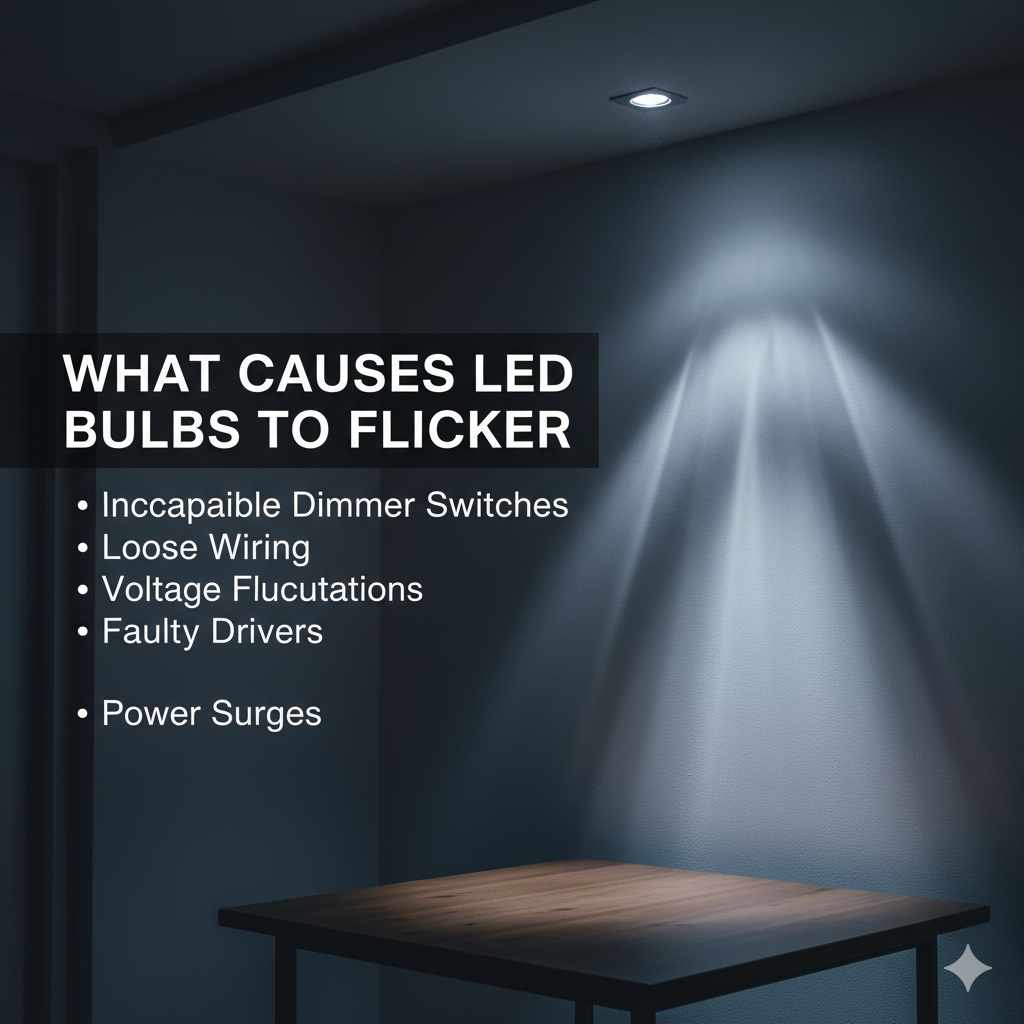
Quick Summary: LED bulbs flicker mainly due to incompatible dimmers, loose connections, voltage fluctuations, or a failing bulb. Simple fixes often involve checking connections, ensuring dimmer compatibility, or replacing the bulb. This guide helps you diagnose and solve flickering LEDs easily.
Hey there, fellow home improvers! It’s Md Meraj here. You know, one of the little annoyances around the house that can really throw you off is when your lights start to flicker. Especially with those modern LED bulbs, which are supposed to be super reliable, right? Seeing that flicker can be a bit unsettling, and it makes you wonder what’s going on. Is it a big problem? Do I need to call an electrician? Don’t you worry one bit! We’re going to dive into why this happens and, more importantly, how you can fix it yourself. We’ll break it down into simple steps, just like we do with our woodworking projects, so you can get those lights steady again with confidence.
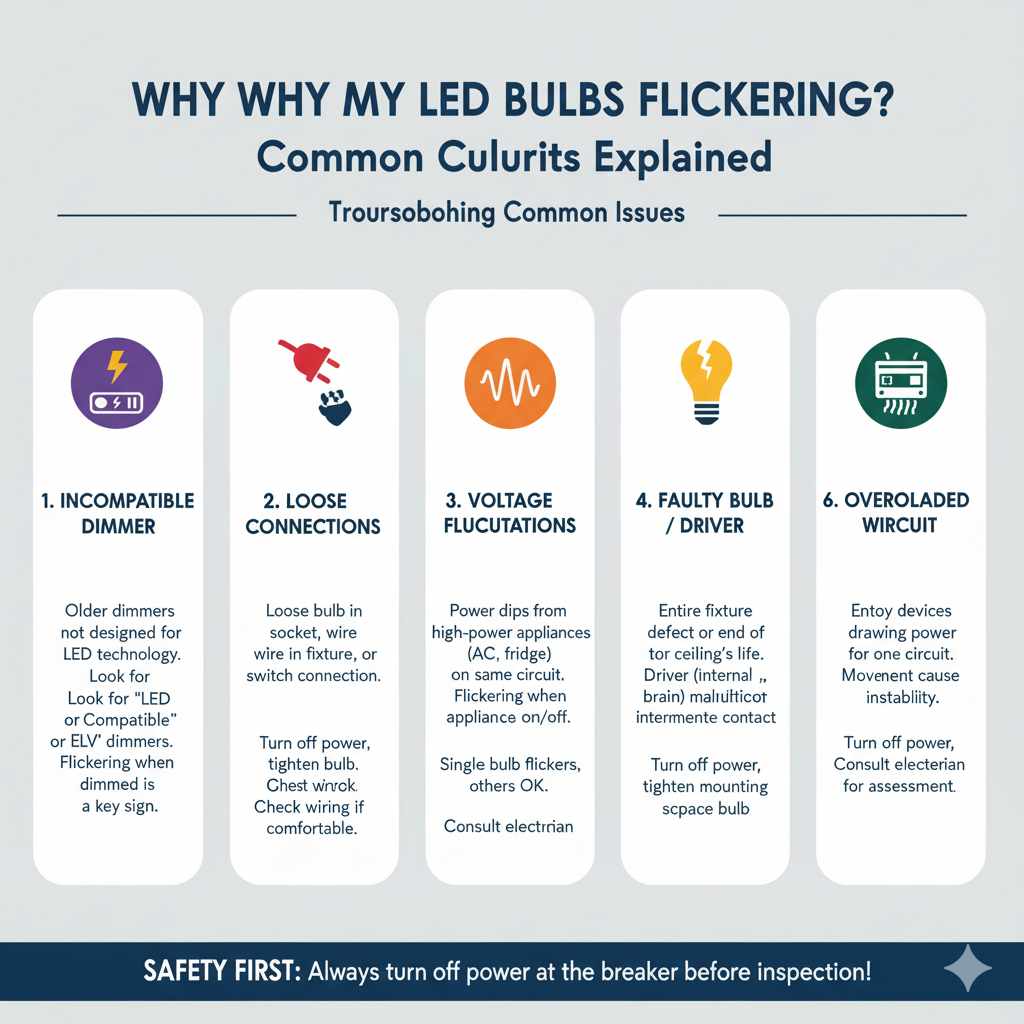
Why Are My LED Bulbs Flickering? Common Culprits Explained
It’s frustrating when a brand-new LED bulb starts to flicker, or when your perfectly good lights suddenly begin to misbehave. Unlike old incandescent bulbs that would just dim gracefully, LEDs can be a bit more dramatic with their flickering. But usually, it’s not a sign of a major electrical catastrophe. More often than not, it’s a simple issue that’s easy to pinpoint and fix. Let’s explore the most common reasons why your LED bulbs might be flickering, so you can get to the bottom of it.
1. The Incompatible Dimmer Dilemma
This is probably the most frequent reason for flickering LEDs, especially if you’ve recently installed new bulbs or a new dimmer switch. Older dimmer switches were designed for incandescent bulbs, which use a different technology. LEDs are more sensitive to the type of dimmer they’re paired with. If your dimmer isn’t designed for LED bulbs (often labeled as “LED compatible” or “ELV” – Electronic Low Voltage), it can send uneven power signals to the bulb, causing it to flicker or not dim properly at all. It’s like trying to use a gasoline engine with diesel fuel – they just don’t play well together!
What to look for:
- Check your dimmer switch. Does it say “LED Compatible”?
- If you recently upgraded to LED bulbs, did you also upgrade your dimmer?
- Do the LEDs flicker only when dimmed, or all the time? If it’s only when dimmed, the dimmer is a prime suspect.
For more information on dimmer compatibility, the U.S. Department of Energy offers some great resources on lighting efficiency and technology, which often touch upon these compatibility issues. You can find helpful guides on their Lighting and Appliance Standards Program page.
2. Loose Connections: The Silent Flicker Maker
Just like a wobbly joint on a piece of furniture can cause problems, a loose electrical connection can lead to flickering lights. This could be a loose bulb in its socket, a loose wire connection in the light fixture itself, or even an issue at the switch. When the connection is intermittent, the flow of electricity to the bulb is constantly interrupted, making it flicker. This can happen over time as vibrations or temperature changes loosen things up.
Where to check:
- The Bulb Socket: Gently try to tighten the LED bulb in its socket. Make sure the power is off at the breaker first!
- The Fixture: If you’re comfortable and have turned off the power, you might need to inspect the wiring inside the light fixture. Look for any wires that seem loose or disconnected.
- The Switch: Sometimes, the connections behind your light switch can become loose.
Safety First! Always, always, always turn off the power to the circuit at your main breaker box before you touch any wiring or connections. If you’re not comfortable with electrical work, it’s best to call a qualified electrician.
3. Voltage Fluctuations: The Unseen Jitters
Your home’s electrical system is designed to deliver a steady flow of power, typically around 120 volts in the U.S. However, sometimes this voltage can fluctuate. This can happen if other high-power appliances on the same circuit (like a refrigerator kicking on, a microwave, or an air conditioner) draw a lot of power suddenly, causing a temporary dip in voltage. Newer LED bulbs, especially those with sensitive internal components, can react to these dips by flickering. It’s like a brief moment of confusion for the bulb.
How to tell if this is the issue:
- Do the lights flicker when other large appliances turn on or off?
- Does the flickering happen intermittently and seem random?
- Is the flickering more noticeable in certain areas of your house?
If you suspect voltage fluctuations are the problem, it might be worth consulting an electrician. They can test your home’s voltage and identify if there are significant issues that need addressing. Sometimes, a simple solution like redistributing power-hungry appliances across different circuits can help.
4. The Bulb Itself: Reaching the End of its Life (or Just a Dud)
Even though LEDs are known for their long lifespan, they aren’t immortal. Like any electronic component, they can eventually fail. Sometimes, a bulb might start flickering as it’s nearing the end of its operational life. Other times, you might get a “dud” right out of the box – it happens! Manufacturing defects can occur, and a flickering bulb can be a sign of this.
When to suspect the bulb:
- The flickering started suddenly on a single bulb, and other bulbs in the same fixture or on the same circuit are fine.
- You’ve ruled out dimmer compatibility and loose connections.
- The bulb is old and has been working for a long time.
The easiest fix here is simply to replace the bulb. Try swapping it with a new one, preferably from a different batch or brand if you have one handy, just to be sure. If the new bulb works perfectly, then the old one was indeed the culprit.
5. Driver Issues: The Brains of the Operation
LED bulbs have a component called a “driver.” Think of it as the brain of the bulb that converts the household AC power into the DC power that the LED chips need to light up. If this driver starts to malfunction, it can send inconsistent power to the LEDs, causing them to flicker. This is often a sign that the bulb is failing internally.
Signs of a potential driver issue:
- The flickering is erratic and doesn’t seem tied to dimming or other appliances.
- The bulb might feel unusually warm, though this isn’t always the case.
- This is usually an indication that the bulb needs replacement.
Unfortunately, you can’t typically fix a faulty driver within an LED bulb. The solution is to replace the entire bulb.
6. Loose Fixture or Wiring
Beyond just loose connections to the bulb, the entire light fixture itself could be loose. If a fixture is not securely mounted to the ceiling or wall, the constant movement (even slight) can cause the internal wiring to shift, leading to intermittent contact and flickering. This is more common with older fixtures or those that haven’t been installed perfectly.
What to do:
- With the power off at the breaker, gently try to wiggle the light fixture. Does it feel loose?
- If it does, you may need to open up the fixture canopy (the part that attaches to the ceiling) and tighten the mounting screws or bracket.
- While you’re there, double-check all wire nut connections to ensure they are secure.
Again, if you’re not comfortable working with ceiling fixtures, it’s best to get a hand from a professional.
7. Overloaded Circuit
Sometimes, the problem isn’t with the bulb or dimmer, but with the electrical circuit itself. If too many devices are drawing power from a single circuit, it can lead to voltage drops and instability, which can manifest as flickering lights. This is especially true if the circuit is older or not rated for the total load it’s carrying.
How to assess:
- Make a list of all the devices connected to the circuit where the flickering occurs.
- Consider how often these devices are used simultaneously.
- If you have a lot of high-draw items (heaters, hair dryers, large kitchen appliances) on the same circuit as your lights, this could be an issue.
If you suspect an overloaded circuit, the best course of action is to have a qualified electrician assess your home’s wiring and possibly recommend upgrades or redistributing the load to different circuits. The U.S. Consumer Product Safety Commission (CPSC) provides valuable safety information regarding home electrical systems, which you can find on their Electrical Safety pages.
Troubleshooting Steps: Your Flickering LED Fix Guide
Alright, let’s get practical. When your LEDs start acting up, don’t panic. We’ll go through these steps systematically to pinpoint the cause and get your lights shining steadily again. Think of this like diagnosing a wobbly leg on a workbench – we’ll check the obvious things first.
Step 1: The Simple Swap – Rule Out the Bulb
This is the easiest and quickest thing to try. Grab a known-good LED bulb (or a new one) and swap it with the flickering bulb. Make sure the power is off at the switch or breaker before you do this.
- If the new bulb works fine: Great! Your old bulb was likely the issue. Dispose of it properly and you’re done.
- If the new bulb also flickers: This tells us the problem isn’t the bulb itself, and we need to look further.
Step 2: Check the Dimmer CompatibilityIf your light is on a dimmer switch, this is your next big suspect. As we discussed, not all dimmers work with all LEDs.
- Identify your dimmer type: Look for labels on the dimmer switch. It should ideally say “LED Compatible.” If it’s an older switch, it’s probably not compatible.
- Check the LED bulb packaging: Sometimes, the bulb packaging will list compatible dimmer types. The Fix: If your dimmer isn’t LED compatible, you’ll need to replace it with one that is. There are many options available, from basic LED-compatible toggle switches to more advanced smart dimmers. Always turn off power at the breaker before replacing a switch!
Step 3: Inspect Connections (Safely!)Loose connections are sneaky culprits. This involves a bit more hands-on work, so safety is paramount.
- Turn off power: Go to your breaker box and flip the breaker that controls the flickering light. Double-check that the light doesn’t turn on when you flip the switch.
- Tighten the bulb: Gently screw the LED bulb in firmly.
- Check the fixture: If you’re comfortable, remove the fixture cover and gently check that the wires are securely connected inside the wire nuts. Ensure the fixture itself is securely mounted to the ceiling or wall.
- Check the switch: If the problem persists and you’re comfortable, you might check the connections at the light switch itself (again, with power OFF at the breaker).
Step 4: Monitor for Voltage FluctuationsThis step is more about observation. Try to notice if the flickering happens at specific times or when certain appliances are running.
- Keep a small log for a day or two: Note when the flickering occurs and what else is happening electrically in your home (e.g., “flickered when microwave turned on,” “flickered at 7 PM”).
- If you see a pattern: This points towards voltage issues or an overloaded circuit.
Step 5: Consider the Bulb’s Age and QualityIf the bulb is old, or if you’ve tried everything else and it still flickers, the bulb might just be worn out or was faulty from the start.
- Bulb Lifespan: Most LEDs last 15,000-25,000 hours or more, but they do eventually fail.
- Quality Matters: Sometimes, cheaper bulbs may have a shorter lifespan or be more prone to issues. The Fix: Replace the bulb with a reputable brand. If the problem is with a whole string of lights or a fixture, consider if you bought a budget option that might have had widespread issues.
When to call a pro: If you see any damaged wires, scorch marks, or if you’re unsure about any part of this process, stop and call a qualified electrician.
The Fix: If voltage fluctuations are suspected, you might need to consult an electrician to test your home’s electrical system. They can determine if there are underlying issues with your service or wiring.
When to Call a Professional Electrician
As much as I love a good DIY project, there are times when it’s absolutely crucial to call in the experts. Electrical work can be dangerous if not done correctly, and some issues are beyond basic troubleshooting.
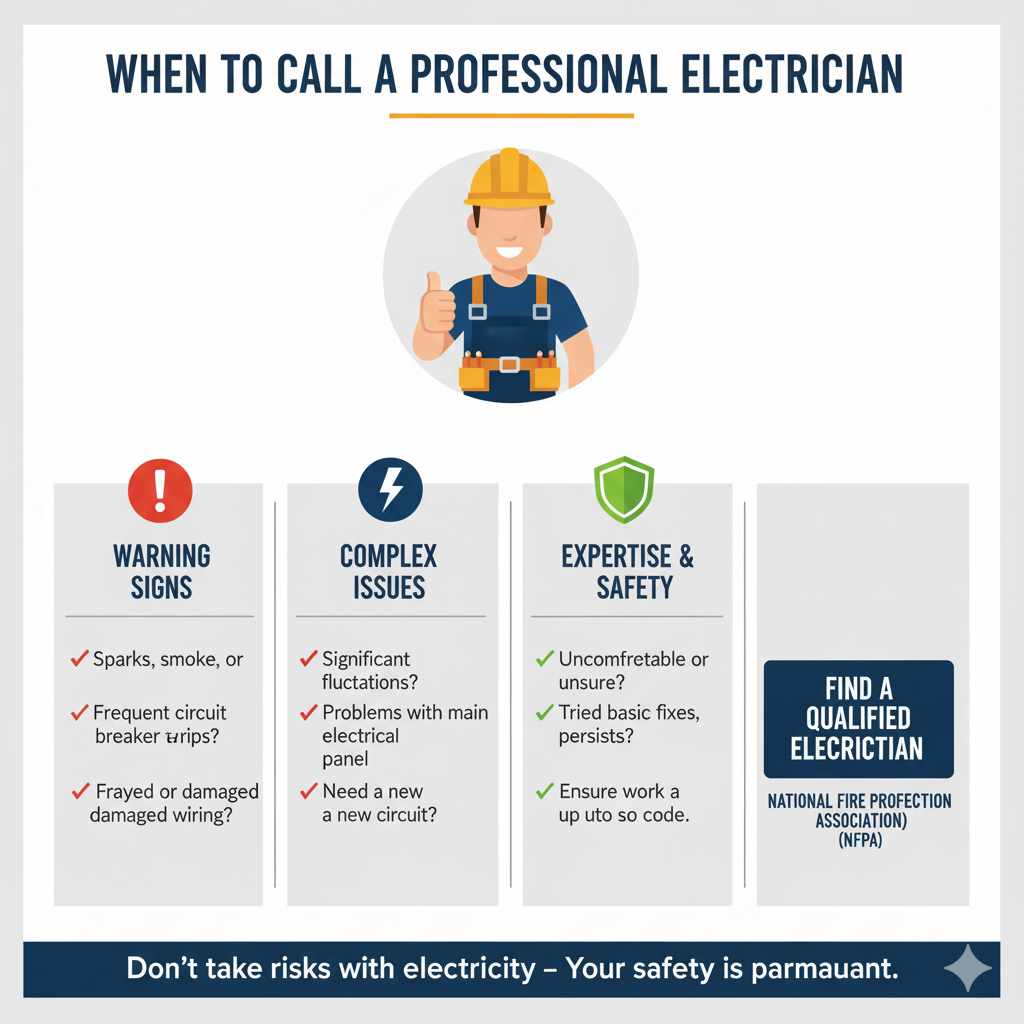
You should definitely call a qualified electrician if:
- You see sparks, smoke, or smell burning.
- Your circuit breakers trip frequently.
- You find frayed or damaged wiring.
- You’re uncomfortable or unsure about any step involving electrical connections.
- You suspect significant voltage fluctuations or problems with your home’s main electrical panel.
- You’ve tried all the basic fixes (swapping bulbs, checking dimmers) and the problem persists.
A professional electrician has the tools, knowledge, and experience to diagnose complex electrical issues safely and effectively, ensuring your home’s electrical system is up to code and safe for your family.
LED Bulb Flicker: A Comparison Table
To help you quickly identify potential causes, here’s a table that summarizes common flickering issues and their likely solutions:
| Symptom | Likely Cause | Easy DIY Fix? | When to Call a Pro |
|---|---|---|---|
| Flickers only when dimmed, steady when fully on. | Incompatible dimmer switch. | Yes, replace dimmer with LED-compatible model. | If unsure about replacing dimmer. |
| Flickers intermittently, seems random. | Loose bulb in socket; loose wire connection; voltage fluctuation. | Yes, tighten bulb; check fixture/switch connections (power off!). | If wiring looks damaged or you’re uncomfortable. |
| Flickering starts suddenly on one bulb. | Bulb is failing or was a dud. | Yes, replace the bulb. | N/A (unless it’s a fixture issue). |
| Flickers when other large appliances turn on/off. | Voltage fluctuations from high-draw appliances. | Observe pattern; try redistributing appliance loads. | Yes, to diagnose and potentially upgrade circuits. |
| Flickering persists after trying all other fixes. | More complex wiring issue; faulty fixture; overloaded circuit. | No. | Yes, definitely. |
| Visible damage (sparks, smoke, scorch marks). | Serious electrical fault. | No. | Yes, immediately! |
Frequently Asked Questions About Flickering LEDs
Q1: Can a flickering LED bulb be a fire hazard?
While flickering itself is usually not a direct fire hazard, it can be a symptom of an underlying electrical problem that could be. Loose connections or overloaded circuits can generate heat, which is a fire risk. If you notice any signs of overheating, smoke, or burning smells, treat it as an emergency and call an electrician immediately.
Q2: Do I need special LED bulbs for outdoor fixtures?
Yes, if your outdoor fixture is exposed to the elements (rain, snow, extreme temperatures), you’ll need LED bulbs specifically rated for outdoor use. These bulbs have better sealing and are designed to withstand environmental conditions that can cause standard indoor bulbs (and their components) to fail prematurely or flicker.
Q3: My LED bulb flickers slightly when I turn the light off. Is this normal?
This “ghosting” or slight flicker after turning off can sometimes happen if there’s a very small amount of residual current in the circuit, or if the dimmer switch isn’t fully cutting power. It’s usually not a major concern with LEDs, especially if it’s very faint, but it can indicate a dimmer compatibility issue or a minor wiring quirk.
Q4: How long should LED bulbs last?
LED bulbs are known for their longevity. Depending on the quality and usage, they typically last anywhere from 15,000 to 25,000 hours, and sometimes even longer. This translates to many years of use for a bulb that’s on for several hours a day. If an LED bulb is flickering or fails much sooner than this, it might be a sign of a manufacturing defect, incompatible dimmer, or an issue with the power supply.
Q5: Can I use an LED bulb in a fixture designed for incandescent bulbs?
Generally, yes, you can put an LED bulb in a fixture designed for incandescent bulbs, as long as the base type (e.g., E26, GU10) matches. However, the key issue is the dimmer switch. If the fixture has a dimmer, you must ensure the LED bulb is compatible with that dimmer, or replace the dimmer with an LED-compatible one. Even without a dimmer, very old fixtures might have wiring that’s not ideal, but for most modern fixtures, it’s usually fine if no dimmer is involved.
Q6: My smart bulb flickers. What could be wrong?
Smart bulbs have additional electronics for connectivity. If a smart bulb flickers, it could be a bulb defect, a power issue, or sometimes even a Wi-Fi or connectivity problem that confuses the bulb’s internal logic. Try resetting the smart bulb, checking its power connection, and ensuring it’s compatible with your home’s voltage and any dimmer switches (though many smart bulbs are designed to work without dimmers or have built-in dimming functions). If problems persist, consult the manufacturer’s support.
Conclusion
Seeing your LED lights flicker can be a head-scratcher, but as we’ve explored, it’s usually caused by one of a few common issues. From incompatible dimmers and loose connections to voltage quirks or simply a bulb reaching the end of its life, you now have a clear roadmap to diagnose and fix the problem. Remember, the key is to approach it systematically, prioritizing safety above all else. Start with the easiest fixes, like swapping the bulb, and work your way through the possibilities. Most of the time, a simple adjustment or replacement will have your lights shining steadily again, bringing that warm, reliable glow back to your home. And if you ever feel unsure or the problem seems complex, don’t hesitate to call in a trusted electrician. Happy fixing, and enjoy your flicker-free lighting!