
Quick Summary:
Resetting your Yale door lock code is straightforward! If you’ve lost or forgotten your master code, you’ll typically need to perform a factory reset, which involves removing the battery and pressing a specific button. This guide provides simple, step-by-step instructions to get your Yale lock working with a new code safely and efficiently.
Hello there! Md Meraj here. Thinking about your home’s security can feel a bit overwhelming sometimes, especially when it comes to your door locks. If you’ve ever found yourself staring at your Yale door lock, unsure how to change the code, or worse, forgotten it entirely, you’re not alone. It’s a common hiccup, but thankfully, it’s one we can easily fix together. This guide is designed to walk you through resetting your Yale door lock code, step-by-step, with clear instructions that even a beginner can follow. We’ll cover everything you need to know to get your lock set up with a new, secure code, giving you peace of mind. Let’s get your door secured and feeling fresh with a new code!
Why You Might Need to Reset Your Yale Door Lock Code
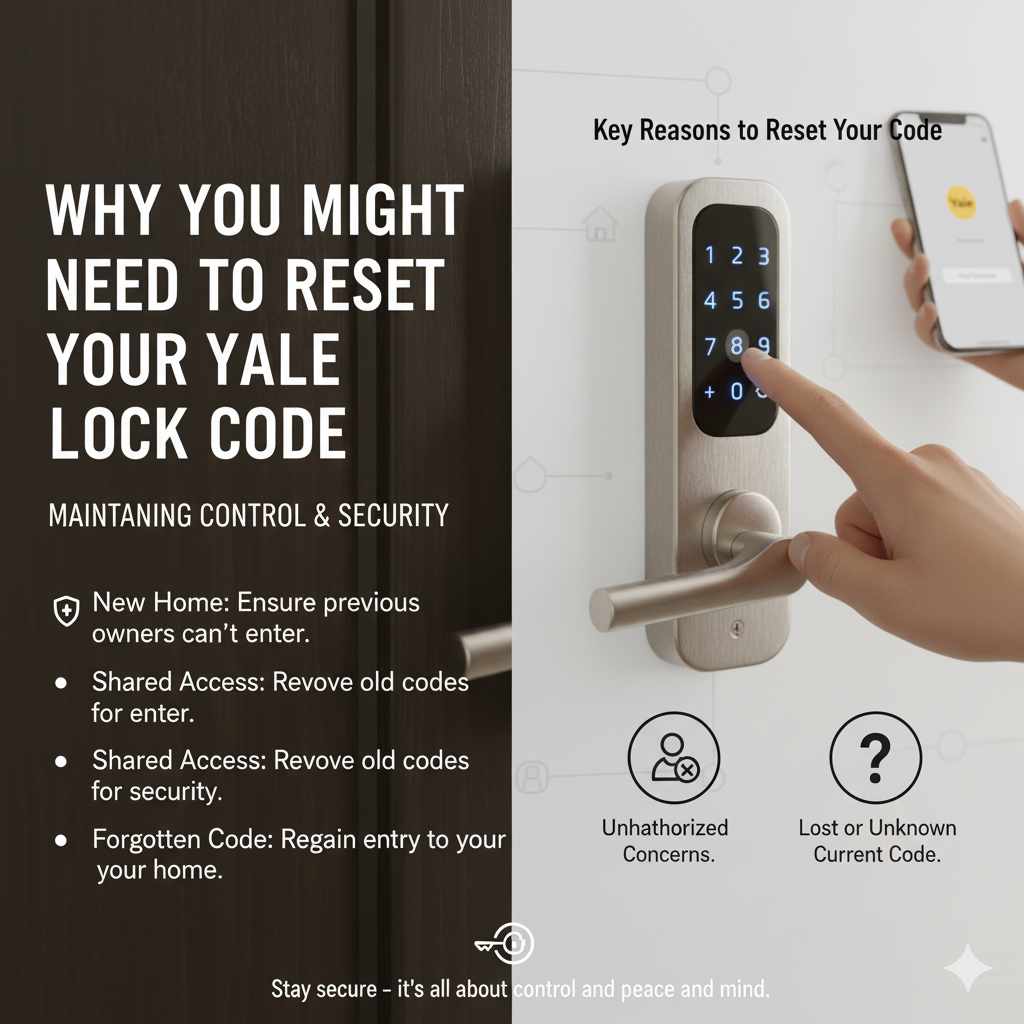
Life happens, and sometimes you need to change or reset your Yale door lock code. Maybe you’ve moved into a new home and want to ensure the previous owners no longer have access. Perhaps you’ve shared a code with someone who no longer needs it, and you want to enhance your security. Or, as many of us have experienced, you might have simply forgotten the current code. Regardless of the reason, knowing how to reset your Yale lock is a valuable skill for any homeowner. It’s about maintaining control over who can enter your home and keeping your personal space safe and secure. This guide will demystify the process, making it feel less like a daunting task and more like a simple home maintenance chore.
Understanding Your Yale Door Lock
Yale offers a wide variety of door locks, from simple push-button models to more advanced electronic and smart locks. While the exact steps can vary slightly between models, the core principles of resetting the code often remain similar. Most Yale electronic locks require you to enter a master code or a user code to operate or change settings. If you’ve lost the master code, a factory reset is usually the way to go. This process essentially wipes all existing codes and returns the lock to its original, default settings, allowing you to set up new codes from scratch.
Types of Yale Door Locks
Before diving into the reset process, it’s helpful to know what kind of Yale lock you have. This will ensure you’re following the correct procedure. Generally, Yale locks fall into a few main categories:
- Key-Free Electronic Locks: These locks typically use a keypad for entry and don’t have a traditional key cylinder. They are very common for front doors.
- Keyed Entry Electronic Locks: These have a keypad but also include a traditional key cylinder for backup access.
- Smart Locks: These connect to your home’s Wi-Fi or Bluetooth, allowing for remote access, app control, and often voice assistant integration.
The reset procedure is most commonly needed for the electronic and smart lock varieties. For this guide, we’ll focus on the common methods for resetting these types.
How to Reset Yale Door Lock Code: Step-by-Step Guide
Resetting your Yale door lock code is a process that requires careful attention to detail. The most common scenario where you’d need to reset is if you’ve forgotten your master code or need to erase all existing user codes for security reasons. The factory reset is your best bet here. This process will revert the lock to its original default settings, meaning you’ll need to set up a new master code and user codes afterward.
Method 1: Factory Reset (Most Common for Lost Master Code)
This method is typically used when you’ve lost your master code or want to erase all existing codes. It involves physically accessing the lock’s internal components. Always ensure you have a Phillips head screwdriver handy, as this is usually the only tool required.
- Ensure the Door is Open: This is crucial! You don’t want to lock yourself out of your own home during the reset process.
- Locate the Battery Compartment: On most Yale electronic locks, the battery compartment is located on the interior side of the lock, usually behind a cover plate. You might need to unscrew this cover.
- Remove the Batteries: Carefully remove all batteries from the compartment. This step is essential to cut power to the lock’s memory.
- Find the Reset Button: Look for a small button on the interior side of the lock mechanism. This is often a small pinhole button or a slightly recessed button. You might need to refer to your Yale lock’s specific manual to pinpoint its exact location if it’s not immediately obvious. Some models might have this button on the main internal circuit board.
- Press and Hold the Reset Button: While the batteries are still out, press and hold the reset button. You may need to use a paperclip or a small, pointed object to press a pinhole button.
- Reinsert the Batteries: While still holding the reset button, reinsert the batteries.
- Release the Reset Button: Continue holding the reset button for about 10-15 seconds after reinserting the batteries. Then, release the button.
- Test the Lock: The lock should now be reset to its factory default settings. This usually means any previously programmed codes (including your old master code and user codes) are erased. The lock might make a sound or its lights might flash to indicate it has reset.
- Program a New Master Code: Refer to your Yale lock’s manual for the exact procedure to program a new master code. Typically, this involves entering a default code (often 1-2-3-4 or 0-0-0-0, check your manual!) followed by the programming sequence and then your new desired master code.
- Program User Codes: Once your master code is set, you can then program your new user codes.
Important Note: The exact location and type of reset button can vary significantly between Yale models. Always consult your specific Yale door lock manual for precise instructions. You can usually find these manuals on the Yale Assure Lock website or by searching for your specific model number online.
Method 2: Resetting Using a Known Master Code
If you know your master code but want to reset all user codes or change your master code, the process is much simpler and doesn’t require a factory reset. This is the preferred method when possible, as it preserves the lock’s programming structure.
Changing Your Master Code
- Enter Your Current Master Code: On the exterior keypad, enter your existing master code.
- Press the ‘Unlock’ or ‘Program’ Button: Usually, there’s a specific button (often marked with a gear, a checkmark, or the word “Program”) that you press after entering your master code.
- Enter the Programming Sequence: Follow the prompts on the lock. This might involve pressing a specific number sequence. For example, you might press ‘1’ to indicate you want to change the master code.
- Enter Your New Master Code: Input your desired new master code. Most Yale locks require a 4-digit code, but check your manual.
- Re-enter Your New Master Code: You’ll likely be asked to enter the new master code again to confirm.
- Confirmation: The lock should indicate with a beep or light that the master code has been successfully changed.
Clearing All User Codes (Keeping Master Code)
- Enter Your Master Code: On the exterior keypad, enter your current master code.
- Press the ‘Unlock’ or ‘Program’ Button: Press the designated programming button.
- Enter the Clearing Sequence: Look for a specific code to clear all user codes. For example, you might press ‘3’ after entering your master code to signify clearing user codes.
- Confirmation: The lock should confirm that all user codes have been erased.
Always refer to your Yale lock’s specific manual for the exact button sequences and programming codes. These can differ between models.
Tools You Might Need
For most Yale door lock resets, you won’t need a complex toolbox. Here’s a quick rundown of what you might need:
- Phillips Head Screwdriver: Essential for removing the interior cover and battery compartment on many models.
- Small Pointed Object (e.g., Paperclip, Pen Tip): Needed if your lock has a pinhole reset button.
- Your Yale Door Lock Manual: Absolutely critical! This is your best friend for model-specific instructions.
- New Batteries: It’s always a good idea to have fresh batteries on hand, especially if you’re performing a factory reset.
Important Considerations and Tips
Resetting your Yale door lock is a straightforward process, but a few tips can make it even smoother:
- Read Your Manual: I can’t stress this enough. Your specific Yale lock manual is the most accurate source of information. You can usually find it online on the Yale website by searching for your model number.
- Ensure the Door is Open: Seriously, don’t forget this step! You don’t want to accidentally lock yourself out.
- Have Fresh Batteries Ready: A low battery can sometimes cause unexpected behavior. Using fresh batteries ensures the reset process goes smoothly.
- Note Down Your New Codes: Once you’ve set new master and user codes, write them down in a secure place. Don’t rely solely on memory, especially for critical codes. Consider using a password manager or a secure physical notebook.
- Test Thoroughly: After resetting and programming new codes, test them multiple times from the outside to ensure they work correctly before closing the door. Test the lock in both locked and unlocked states.
- Understand Default Codes: Many Yale locks come with a default master code (like 1234) or a default user code. Knowing this can be helpful if you’re programming for the first time or after a factory reset.
Troubleshooting Common Issues
Even with clear instructions, you might run into a snag. Here are a few common problems and how to solve them:
- Lock Not Resetting: Ensure you’ve removed all batteries and are holding the reset button for the correct duration (usually 10-15 seconds). Double-check that you’re pressing the correct button for your model.
- New Code Not Accepted: Make sure you are following the exact programming sequence for your model, including pressing the correct programming button and entering the new code twice for confirmation. Check if there are any restrictions on the code (e.g., cannot be sequential numbers).
- Lock Behaving Erratically: Try replacing the batteries with a fresh set. Sometimes, low batteries can cause erratic behavior. If the problem persists, a full factory reset might be necessary.
- Keypad Not Responding: Ensure the batteries are correctly inserted and have sufficient charge. Clean the keypad gently with a dry, soft cloth. If it’s a smart lock, check your Wi-Fi or Bluetooth connection.
- Forgot the Master Code After Reset: If you performed a factory reset and then forgot the new master code you set, you’ll need to perform another factory reset and set a new one, this time writing it down immediately.
For persistent issues, reaching out to Yale customer support or consulting advanced troubleshooting guides on their official website is recommended. For a deeper dive into smart lock technology and security, resources like the National Institute of Standards and Technology (NIST) offer valuable insights into digital security best practices.
Resetting Yale Door Lock Code Without Master Code: When and How
This is the most common reason people search for how to reset their Yale door lock code. If you’ve forgotten your master code, you generally cannot reset individual user codes without it. The solution in this scenario is almost always a factory reset. As detailed in Method 1 above, this involves removing the batteries and pressing a physical reset button on the lock’s internal mechanism.
This process will wipe all existing codes – master code, user codes, and any temporary codes. You will then need to re-establish your master code first, followed by any user codes you wish to set up. It’s a bit like starting over, but it’s the most effective way to regain control of your lock when the master code is lost.
The Importance of a Master Code
Your master code is the “administrator” code for your Yale lock. It’s what allows you to program new user codes, delete user codes, and often change the lock’s settings. Without it, the lock is essentially locked down from making programming changes. This is a security feature designed to prevent unauthorized individuals from changing the codes. Therefore, losing your master code necessitates a more involved reset process like the factory reset.
Yale Door Lock Models and Reset Variations
While the general principles of resetting apply across many Yale models, there can be subtle differences. Here’s a look at some common Yale lock families and what to expect:
Yale Assure Lock Series
The Yale Assure Lock series (including models like the YRD256, YRD110, YRD136) often features a straightforward reset process. The reset button is typically located on the interior side of the lock, behind the battery cover. Some newer models might have a more integrated button design. Always check the specific manual for your Assure Lock model.
Yale Real Living Series
Older Yale Real Living models might have slightly different button placements or programming sequences. The core concept of removing batteries and pressing a reset button for a factory reset remains the same, but the exact location of the button could vary. Referencing the original manual or the Yale website is key here.
Yale NexTouch Series
The NexTouch series, often used in commercial settings but also available for residential use, may have more advanced programming options. However, the factory reset procedure for lost master codes usually follows the same battery removal and reset button press method.
Table: Common Yale Lock Reset Scenarios
| Scenario | Master Code Known? | Recommended Action | Difficulty |
|---|---|---|---|
| Forgot Master Code | No | Factory Reset (Method 1) | Moderate (requires opening lock) |
| Want to change Master Code | Yes | Program New Master Code (Method 2) | Easy |
| Want to delete all User Codes | Yes | Clear User Codes (Method 2) | Easy |
| Need to add a new User Code | Yes | Program New User Code (Method 2) | Easy |
| Lock is malfunctioning | N/A | Try fresh batteries, then Factory Reset (Method 1) | Moderate |
This table provides a quick overview, but remember that your specific model’s manual is the ultimate guide.
Setting Up New Codes After a Factory Reset
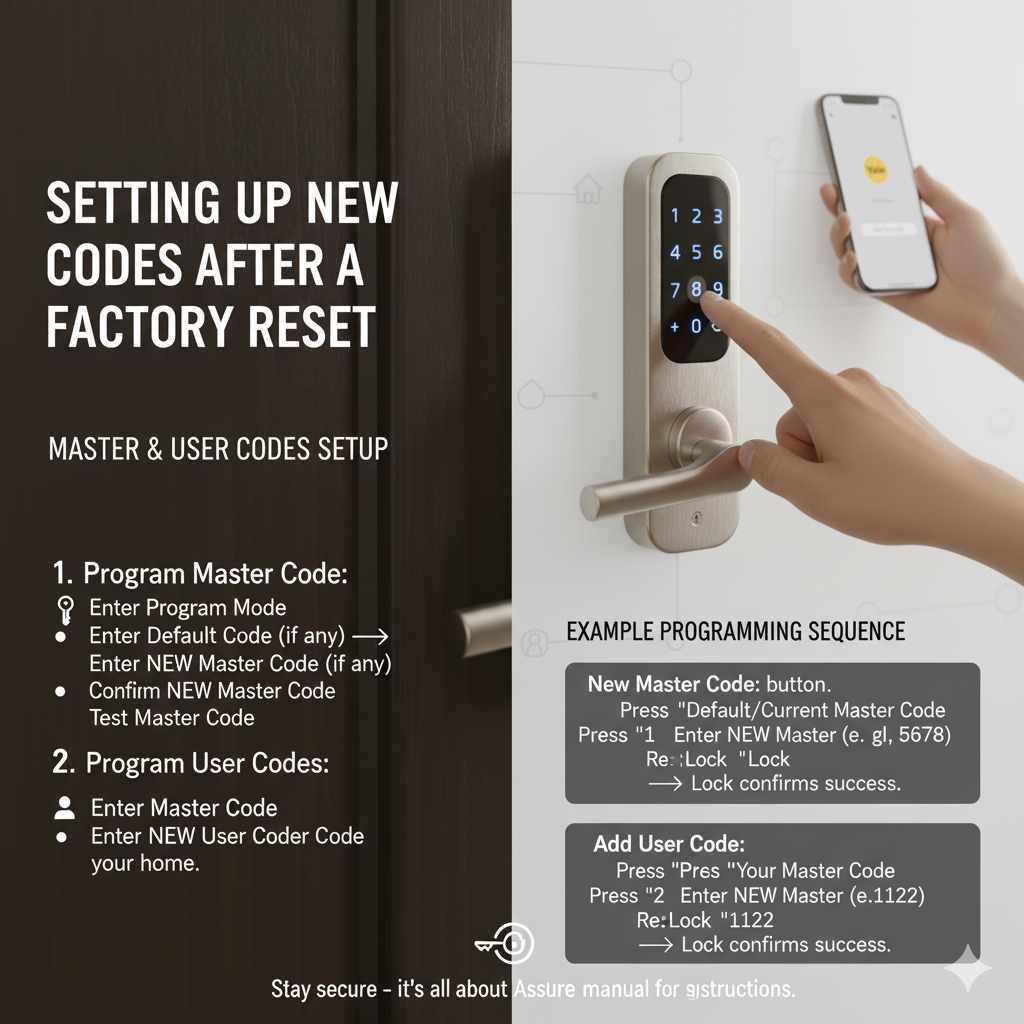
After successfully performing a factory reset, your Yale door lock is back to its default state. This means you’ll need to set it up again from scratch. The first and most important code to set is the Master Code. Here’s a general outline:
- Prepare to Program: With fresh batteries installed and the door open, you’ll typically need to press the program button or a specific sequence to enter programming mode.
- Enter Default Master Code (if applicable): Some locks might require you to enter a default master code (like 1234) first.
- Initiate Master Code Programming: Press the button or enter the sequence that indicates you want to set the master code.
- Enter Your New Master Code: Choose a strong, memorable code (usually 4-6 digits, check your manual).
- Confirm Your New Master Code: Re-enter the code to confirm.
- Test the Master Code: The lock should signal success. Now, try using this new master code to access the programming menu again to ensure it’s recognized.
- Program User Codes: Once your master code is set, you can then program individual user codes using the master code and the appropriate programming sequence for adding user codes.
Example Programming Sequence (Hypothetical – ALWAYS check your manual):
To set a new master code:
- Press the ‘Program’ button.
- Enter the current master code (or default code if applicable).
- Press ‘1’ (for master code).
- Enter your new master code (e.g., 5678).
- Press ‘Enter’ or ‘Lock’.
- Re-enter your new master code (5678).
- Press ‘Enter’ or ‘Lock’.
- The lock will beep or flash to confirm.
To add a user code:
- Press the ‘Program’ button.
- Enter your master code.
- Press ‘2’ (for user code).
- Enter the desired user code (e.g., 1122).
- Press ‘Enter’ or ‘Lock’.
- Re-enter the user code (1122).
- Press ‘Enter’ or ‘Lock’.
- The lock will beep or flash to confirm.
It’s vital to consult the official Yale Assure Lock website for model-specific programming instructions, as these sequences are critical for successful setup.
Frequently Asked Questions (FAQ)
Q1: What is the default Yale door lock code?
A1: Many Yale locks come with a default master code, often 1234 or 0000. However, this is for initial setup and should be changed immediately for security. Always check your lock’s manual for the specific default code.
Q2: Can I reset my Yale door lock without the master code?
A2: Yes, if you’ve forgotten your master code, you’ll need to perform a factory reset. This usually involves removing the batteries and pressing a physical reset button on the interior side of the lock. This will erase all existing codes.
Q3: How do I change my Yale door lock code if I know the master code?
A3: If you know the master code, you can usually change it by entering the master code, pressing a program button, and then entering your new master code followed by confirmation. Refer to your manual for the exact sequence.
Q4: My Yale lock is not responding. What should I do?
A4: First, try replacing the batteries with a fresh set. If that doesn’t work, and if you’ve forgotten the master code, a factory reset is likely needed. If you know the master code and it’s still unresponsive, consult your manual or Yale support.
Q5: How many user codes can I program into a Yale door lock?
A5: The number of user codes varies by model. Many Yale Assure locks allow for 25-100 user codes. Check your lock’s specifications in the manual or on the Yale website.
Q6: Is a factory reset the same as deleting user codes?
A6: No. A factory reset erases all codes (master and user) and returns the lock to its original state. Deleting user codes (when you know the master code) only removes the programmed user codes, leaving the master code intact.
Q7: Where can I find my Yale door lock manual?
A7: You can usually find your Yale door lock manual on the official Yale Assure Lock website by searching for your specific model number. Alternatively, a quick web search for “[Your Yale Lock Model Number] manual PDF” should provide a downloadable version.
Conclusion
Resetting your Yale door lock code might seem like a complex task at first glance, but as we’ve explored, it’s a manageable DIY project. Whether you’re dealing with a forgotten master code and need to perform a factory reset, or simply want to update your codes for better security, this guide has provided you with the essential steps and knowledge. Remember, the key is to always consult your specific Yale lock’s manual, ensure the door is open during the process, and have fresh batteries ready.
By following these straightforward instructions, you can confidently reset your Yale door lock, re-establish your codes, and maintain the security of your home. Taking these simple steps ensures your peace of mind and keeps your home protected. Don’t hesitate to reach out to Yale’s customer support if you encounter any persistent issues. Happy securing!