
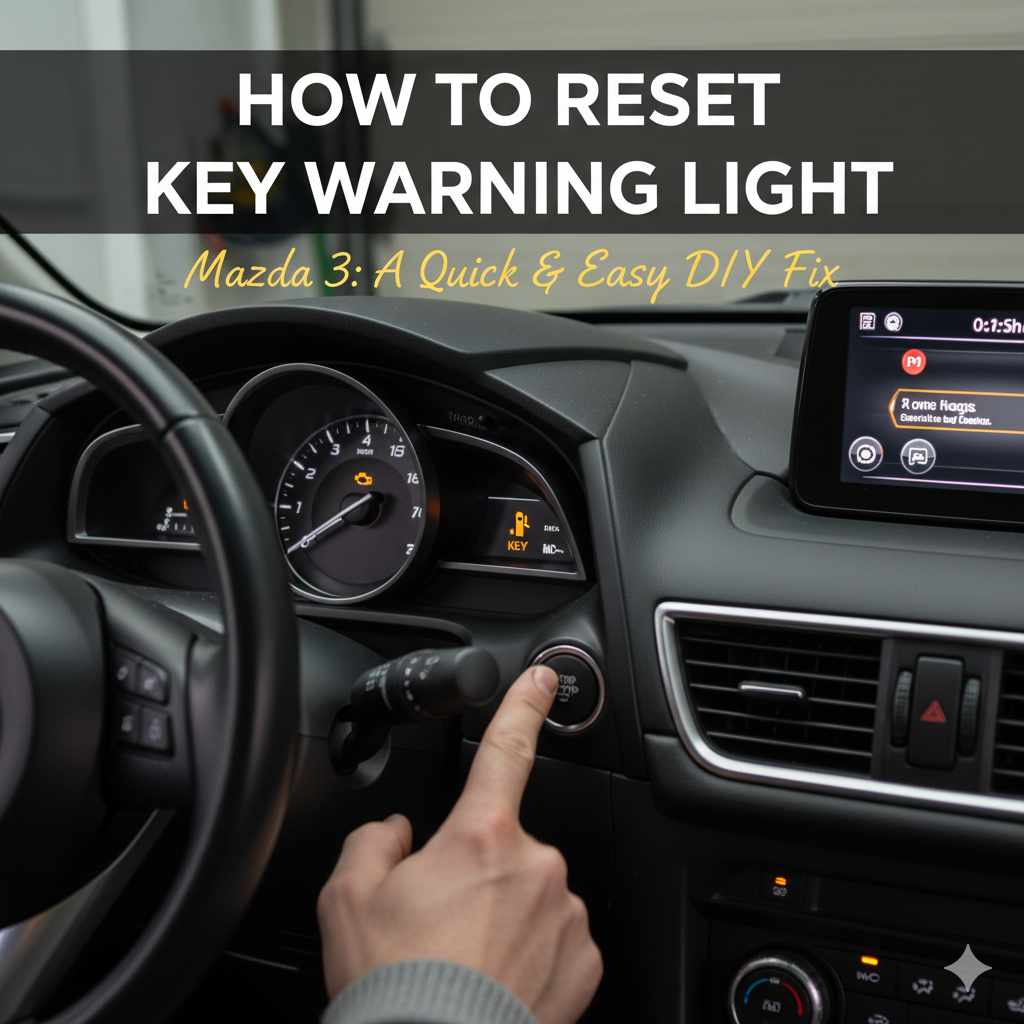
Quick Summary:
Resetting your Mazda 3 key warning light is usually straightforward. Often, it’s a simple matter of ensuring your key fob battery is good or the fob is correctly positioned. This guide will walk you through the common causes and easy fixes to get that light off your dashboard safely and quickly.
Seeing a warning light on your Mazda 3 dashboard can be a bit unnerving, especially if it’s related to your key. That little symbol, often looking like a car with a key inside, usually means your car is having trouble recognizing your key fob. It’s a common issue, and thankfully, it’s often something you can fix yourself without needing a trip to the mechanic. We’ll go through why this light might pop up and how you can get it to disappear, giving you peace of mind and keeping you on the road.
This guide is designed for you, the homeowner who likes to tackle things hands-on. Just like when we’re working on a home project, understanding the problem and having a clear plan makes all the difference. We’ll break down the steps into simple, easy-to-follow instructions, just like I’d explain it over a workbench. You’ll learn about the most common culprits behind the Mazda 3 key warning light and the practical solutions you can try right away. Let’s get that dashboard clear and your Mazda 3 running smoothly again!
Understanding the Mazda 3 Key Warning Light
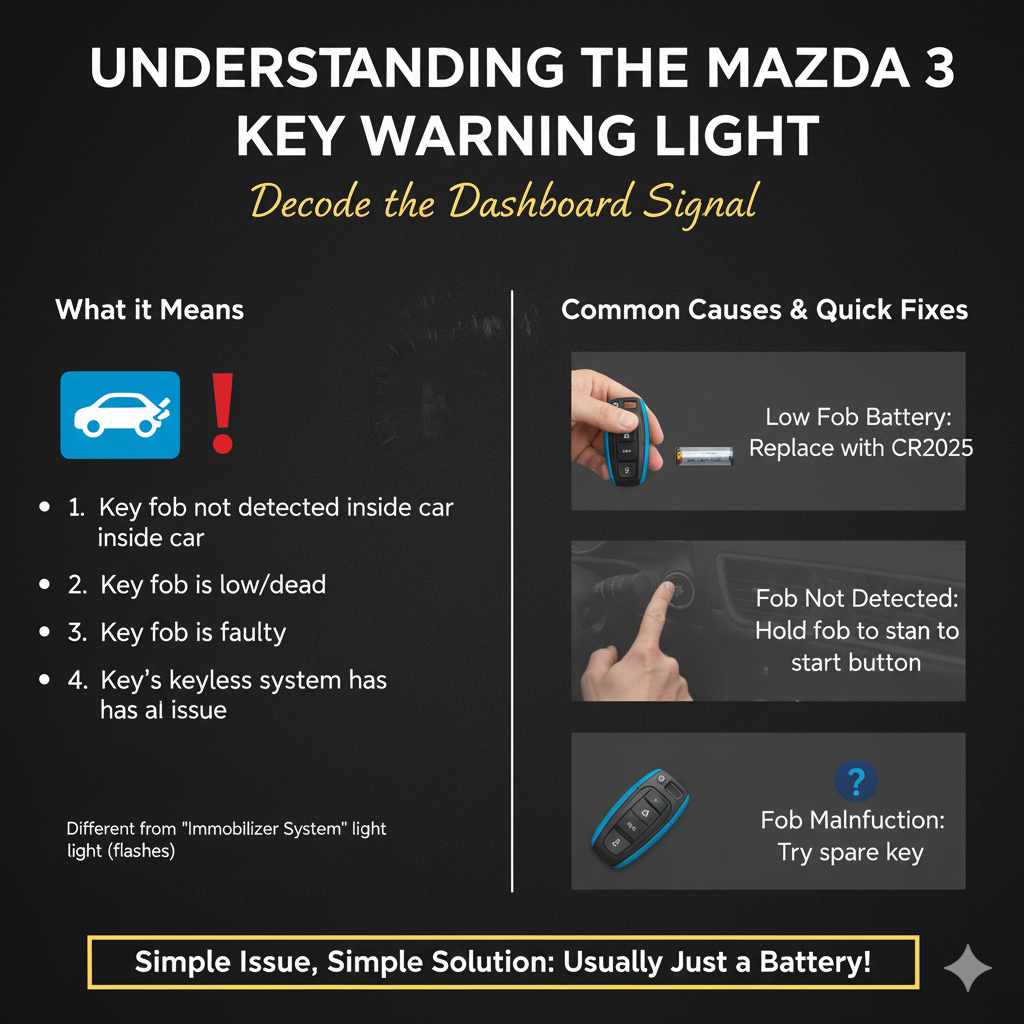
The key warning light on your Mazda 3, often depicted as a car with a key symbol, is your vehicle’s way of telling you it’s having a communication issue with your key fob. This light is part of the car’s security system, designed to ensure that only the correct key can start or operate the vehicle. When this light illuminates, it generally means one of a few things is happening:
- The car can’t detect the key fob inside the vehicle.
- The key fob’s battery is low or dead.
- There’s an issue with the key fob itself.
- There’s a problem with the car’s keyless entry or ignition system.
It’s important to note that this warning light is different from the “Immobilizer System” light, which looks similar but often flashes. The key warning light typically stays illuminated. For most drivers, the most common reason is a simple battery issue with the key fob, which is excellent news because it’s usually the easiest fix. We’ll explore the various causes and their corresponding solutions in detail.
Common Causes and How to Address Them
When that key warning light decides to make an appearance, it’s usually for one of the reasons we touched upon. Let’s dive into each of these common causes and what you can do about them. Think of it like diagnosing a leaky faucet; once you know what’s causing the drip, fixing it becomes much clearer.
1. Weak or Dead Key Fob Battery
This is by far the most frequent reason for the key warning light. Your key fob relies on a small battery to send a signal to your Mazda 3. When that battery gets weak, the signal might become intermittent or too weak for the car to detect reliably. This is especially common if you’ve had your key fob for a few years or use it extensively.
What to do:
- Replace the battery: This is your first and most important step. The most common battery type for Mazda key fobs is a CR2032 coin cell battery. You can find these at most drugstores, supermarkets, and electronics stores.
- How to replace it:
- Locate the seam on your key fob.
- Use a small, flat-head screwdriver or a coin to gently pry the two halves of the fob apart. Some fobs have a small notch to help with this.
- Carefully remove the old battery, noting the orientation of the plus (+) and minus (-) sides.
- Insert the new battery, ensuring it’s in the correct orientation.
- Snap the two halves of the key fob back together.
- Test your key fob to see if the warning light has disappeared.
It’s a simple process, much like changing the battery in your smoke detector. You don’t need any special tools, just a little patience and the right battery. For more detailed instructions specific to your Mazda 3 model year, you can often find helpful diagrams and videos online by searching for “Mazda 3 [your year] key fob battery replacement.”
2. Key Fob Not Detected Inside the Vehicle
Even with a fresh battery, your car needs to “see” the key fob to know it’s present. Sometimes, the key fob might not be in a location where the car’s sensors can pick up its signal effectively. This can happen if the fob is buried deep in a bag, in the center console, or even in a pocket that’s too far from the ignition or driver’s seat.
What to do:
- Place the key fob in the correct spot: For push-to-start systems, the car is designed to detect the key fob within a certain range. Try placing the fob directly in the center console, in a designated spot if your model has one, or simply on the dashboard directly in front of the driver.
- Ensure the fob is not obstructed: Make sure there aren’t large metal objects or other electronics interfering with the signal.
- Check other key fobs: If you have a spare key fob, try using that one. If the warning light goes off with the spare, it strongly suggests an issue with the primary fob (likely its battery, even if new, or the fob itself).
This is like ensuring your Wi-Fi router is in a central location in your home for the best signal. Sometimes, it’s just about proximity.
3. Interference from Other Electronic Devices
In our increasingly connected world, other electronic devices can sometimes interfere with your car’s keyless entry system. Things like portable chargers, smartphones, or even certain types of aftermarket car accessories can emit radio frequencies that might clash with your key fob’s signal.
What to do:
- Temporarily remove other devices: When you get into your car and the light appears, try removing your smartphone, portable charger, or any other electronic gadgets from the immediate vicinity of the dashboard or center console.
- Observe if the light disappears: If the warning light turns off, you’ve likely found your culprit. You may need to be more mindful of where you place these devices when driving.
This is less common but worth considering if other solutions don’t work. It’s like troubleshooting a radio signal; sometimes, other strong signals can cause static.
4. Issues with the Key Fob Itself
While less common than battery issues, the key fob itself can sometimes malfunction. This could be due to internal damage from being dropped, exposure to moisture, or simply wear and tear over time. The buttons might stop working, or the internal electronics could fail.
What to do:
- Inspect the fob for damage: Look for cracks, signs of water damage, or loose buttons.
- Try a spare fob: As mentioned earlier, if a spare fob works perfectly, it’s a strong indicator that your primary fob needs attention.
- Consider reprogramming or replacement: If you suspect the fob is faulty, you might need to have it reprogrammed by a Mazda dealership or an automotive locksmith. In some cases, a complete replacement might be necessary.
Replacing a key fob can be an added expense, but it’s usually a last resort after ruling out simpler fixes. Mazda’s official website or your owner’s manual can provide information on key fob compatibility and replacement.
5. Problems with the Vehicle’s Keyless Entry System
In rarer cases, the issue might not be with your key fob but with the car’s internal keyless entry or ignition system. This could involve a faulty antenna, a blown fuse, or a problem with the car’s computer modules.
What to do:
- Check Fuses: Consult your owner’s manual to locate the fuse box and check the fuses related to the keyless entry or ignition system. If a fuse is blown, replace it with one of the same amperage. You can find detailed guides on checking car fuses from resources like the National Highway Traffic Safety Administration (NHTSA), which often has safety and maintenance information.
- Scan for Diagnostic Trouble Codes (DTCs): If you have an OBD-II scanner, you can check for any trouble codes related to the keyless entry system. This can provide more specific information about what the car’s computer is detecting.
- Consult a Professional: If you suspect a more complex electrical issue, it’s best to have your Mazda 3 inspected by a qualified mechanic or a Mazda dealership. They have the specialized tools and expertise to diagnose and repair these kinds of problems.
This is akin to a complex electrical issue in your home wiring – sometimes, you need a professional electrician to trace the problem.
Step-by-Step Guide to Resetting the Key Warning Light
Now that we’ve covered the common causes, let’s put it all together into a clear, step-by-step process to tackle that key warning light. Follow these steps in order, and you’ll likely resolve the issue without much fuss.
Step 1: Assess the Situation
Before you do anything, take a moment. Is the light on constantly? Does it flash? Does the car start? If the car doesn’t start or starts and immediately shuts off, this is a more serious immobilizer issue and might require professional help immediately. If the car starts and runs fine, but the light is on, proceed with the following steps.
Step 2: Try the Simplest Fix – Key Position
Get into your Mazda 3.
Place your key fob directly on the dashboard, right in front of the driver’s seat, or in the center console.
Try starting the car.
If the light goes off, it was likely a detection issue. Keep this in mind for future reference and try to keep the fob in a consistent, accessible spot.
Step 3: Replace the Key Fob Battery
If Step 2 didn’t work, the next most probable cause is a weak battery.
Ensure you have a new CR2032 battery.
Carefully open your key fob (refer to the “Weak or Dead Key Fob Battery” section above for guidance).
Replace the battery, ensuring correct polarity (+/-).
Close the fob securely.
Get back into your car.
Try starting the engine.
If the light is gone, congratulations! You’ve fixed it.
Step 4: Test with a Spare Key Fob
If replacing the battery didn’t solve the problem, or if you’re unsure if you put the battery in correctly, use your spare key fob.
Place the spare key fob inside the car.
Try to start the engine.
If the warning light turns off with the spare fob, it means your primary fob is likely the issue (either the battery replacement wasn’t successful, or the fob itself is faulty). You might need to revisit the battery replacement or consider getting the primary fob checked or replaced.
Step 5: Check for Interference
If both key fobs are acting up, or if you suspect external factors:
- Remove all other electronic devices (phones, chargers, etc.) from the immediate vicinity of the dashboard and center console.
- Try starting the car again with a key fob inside.
- If the light goes off, you’ve found an interfering device.
Step 6: Inspect Fuses
If none of the above steps work, it’s time to look at the car’s electrical system.
Consult your Mazda 3 owner’s manual to find the location of the fuse boxes (usually one under the dashboard and sometimes one in the engine bay).
Identify the fuses related to the keyless entry, ignition, or immobilizer system.
Visually inspect these fuses. A blown fuse will have a broken wire inside.
If you find a blown fuse, replace it with a new one of the exact same amperage. You can find guides on fuse checking at reputable automotive sites like AutoZone’s DIY section, which offers practical advice for homeowners.
Step 7: Seek Professional Help
If you’ve gone through all these steps and the key warning light persists, it’s time to call in the experts. This could indicate a more complex issue with the car’s security system, antenna, or onboard computer. A Mazda dealership or a trusted automotive mechanic will have the diagnostic tools to pinpoint the exact problem and perform the necessary repairs.
Key Fob Battery Types and Lifespan
Understanding your key fob’s battery is crucial for preventing these kinds of issues. Mazda uses specific battery types, and knowing them can save you a trip to the store.
Common Battery Types for Mazda 3 Key Fobs
As mentioned, the most common battery found in Mazda 3 key fobs is the CR2032. This is a standard 3-volt lithium coin cell battery, readily available and relatively inexpensive. However, depending on the year and specific model of your Mazda 3, other battery types might be used. Always double-check your owner’s manual or the old battery itself before purchasing a replacement.
Table: Common Key Fob Battery Types
| Mazda 3 Model Year (Approximate) | Common Battery Type | Voltage |
|---|---|---|
| Early 2000s – Mid 2010s | CR2032 | 3V |
| Mid 2010s – Present (Smart Key Fobs) | CR2032 | 3V |
| Some Older Models/Specific Trims | CR2025 or CR2016 (Less Common) | 3V |
Note: This table is a general guide. Always verify the exact battery type for your specific vehicle.
Factors Affecting Battery Lifespan
A key fob battery typically lasts anywhere from 1 to 3 years. However, several factors can influence this:
- Frequency of Use: The more you use the buttons on your fob (locking, unlocking, trunk release), the faster the battery drains.
- Signal Strength: If the fob needs to transmit a stronger signal (e.g., over a longer distance or through interference), it will use more power.
- Battery Quality: Higher-quality batteries from reputable brands tend to last longer than cheaper, generic ones.
- Environmental Conditions: Extreme temperatures (very hot or very cold) can sometimes affect battery performance and lifespan.
- Key Fob Design: Newer key fobs with more advanced features might have slightly different power consumption rates.
It’s a good practice to replace your key fob battery proactively every couple of years, especially if you start noticing any slight sluggishness in its operation or if your car’s manual suggests a replacement schedule.
When to Call a Professional
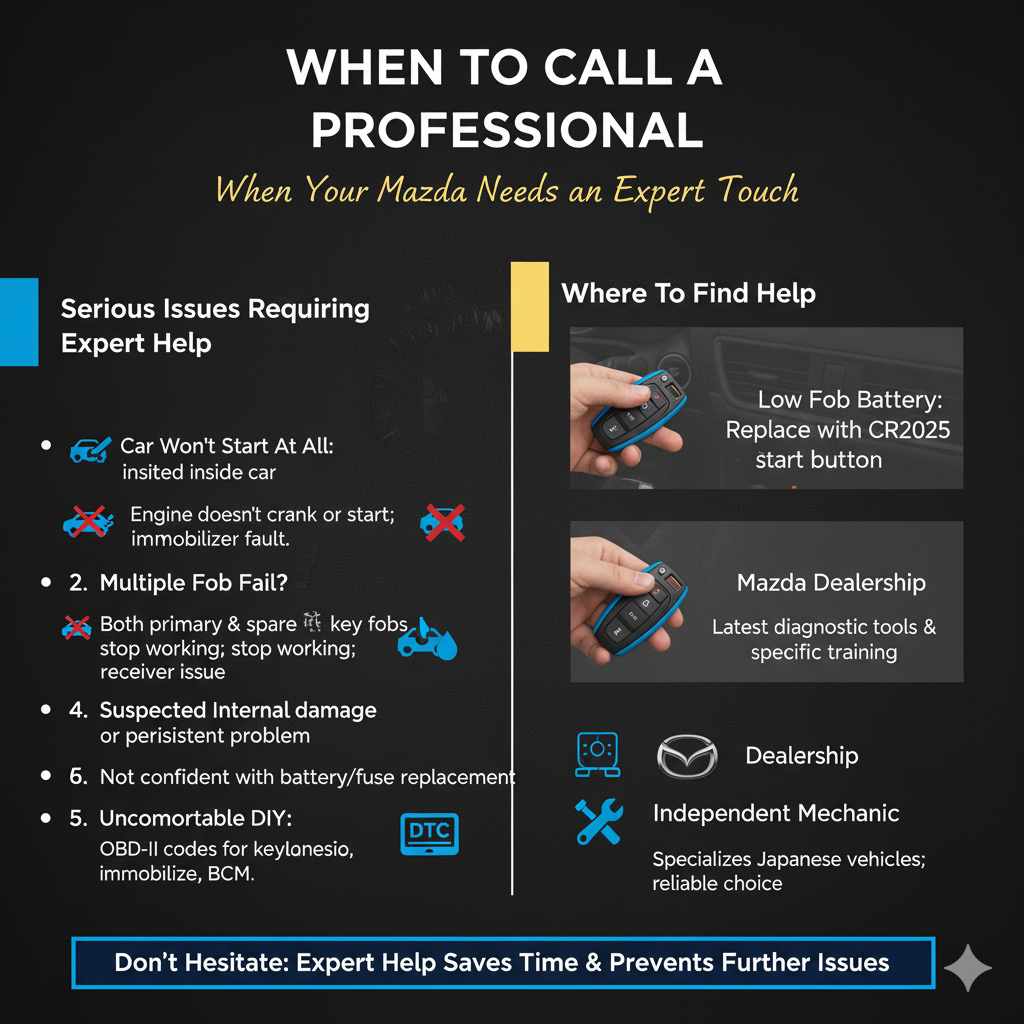
While many key warning light issues are DIY-friendly, there are times when it’s best to let a professional handle it. Don’t hesitate to seek expert help if:
- The car won’t start at all: If the engine doesn’t crank or cranks but doesn’t fire up, and the key warning light is on, it could be a more serious immobilizer system fault that requires specialized diagnostics.
- Multiple key fobs fail simultaneously: If both your primary and spare key fobs stop working, it points towards a problem with the car’s receiver or a more general system failure.
- You suspect internal car damage: If the light came on after a significant event, like an accident, a flood, or if you’ve tried all the basic steps and are still stumped, it’s wise to get it checked by a mechanic.
- You’re uncomfortable with the process: If you’re not confident in performing the battery replacement or checking fuses, it’s always better to be safe and let a professional handle it. Mistakes can sometimes lead to further complications.
- Diagnostic Trouble Codes (DTCs) indicate a complex issue: If your OBD-II scanner shows codes related to the keyless entry module, immobilizer, or body control module (BCM), these often require advanced diagnostic procedures.
Remember, your car’s security system is complex. While we aim to empower you with DIY solutions, professional help is a valuable resource when you’re dealing with intricate electronics. Mazda dealerships have access to the latest diagnostic tools and specific training for your vehicle, making them a reliable choice for complex issues. Alternatively, an independent mechanic specializing in Japanese vehicles can also be a great option.
Frequently Asked Questions (FAQ)
Q1: What does the key warning light on my Mazda 3 mean?
A1: The key warning light, often a car with a key symbol, indicates that your Mazda 3 is having trouble detecting your key fob. This usually means the fob’s battery is low, the fob isn’t properly positioned, or there’s a communication issue.
Q2: Can I ignore the key warning light?
A2: It’s not recommended to ignore it. While your car might still start, the light signifies a problem that could lead to your car not starting eventually, or it could be an indicator of a more significant electrical issue.
Q3: How often should I replace my Mazda 3 key fob battery?
A3: Key fob batteries typically last between 1 to 3 years. It’s a good idea to replace it proactively every two years, or sooner if you notice the key fob becoming less responsive.
Q4: My car won’t start, and the key warning light is on. What should I do?
A4: If your car won’t start, this is a more serious issue, potentially related to the immobilizer system. Try placing the key fob directly on the start button and holding it there while attempting to start. If that doesn’t work, it’s best to contact a Mazda dealership or a qualified mechanic.
Q5: Can I use any coin cell battery for my Mazda 3 key fob?
A5: No, you should use the specific type recommended for your Mazda 3, most commonly a CR2032. Using the wrong type can prevent the fob from working or even damage it. Always check your owner’s manual or the old battery.
Q6: If I replace the key fob battery, does it need to be reprogrammed?
A6: Generally, no. When you replace the battery in a standard Mazda 3 key fob, it does not need to be reprogrammed. The car’s system recognizes the fob by its unique code, which is stored internally and unaffected by battery changes.
Q7: What if I lose my key fob?
A7: If you lose a key fob, it’s crucial to have a replacement programmed by a Mazda dealership or an automotive locksmith as soon as possible. They can also reprogram your remaining fobs to ensure the lost one can no longer start your car, for security reasons.
Conclusion
Seeing that key warning light on your Mazda 3 dashboard can be a bit unsettling, but as we’ve explored, it’s often a simple fix. Most of the time, it boils down to a dying key fob battery or the car having a momentary hiccup in detecting your fob. By following the straightforward steps outlined in this guide – from replacing the battery to ensuring proper key fob placement – you can confidently tackle this common issue yourself.
Remember, regular maintenance, like proactively replacing your key fob battery every couple of years, can prevent these lights from appearing in the first place. And if you ever encounter a situation that feels beyond a simple fix, don’t hesitate to lean on the expertise of a professional mechanic or your local Mazda dealership. With a little know-how and the right approach, you can keep your Mazda 3 running smoothly and enjoy the confidence that comes with handling your car’s needs yourself. Happy driving!